

import contacts into a Gmail enterprise account
Having a well-organized address book is key to maximum inbox efficiency. Fortunately, Gmail makes it easy to add contacts in four different ways. Whether you need to transfer contacts from personal Gmail accounts to a Workspace account or vice versa, it’s a quick process that shouldn’t take more than five minutes. In this blog post, we will teach you how to do just that by providing clear and detailed step-by-step instructions. First, log in to the Google account from which you will be importing your contacts. Then, click here to access your Contacts page.
Once you’re on the Contacts page, click the “more” button in the upper right corner to see more options. From here, select the “export contacts” option. A new browser window will open where you can export your contacts to a Comma Separated Values (CSV) file. Once the download is complete, save the CSV file to your computer. You can now import the CSV file into your other personal Gmail accounts or your Google Workspace account.
Another option for transferring your contacts is to use the Google Sync feature. This will sync all your contacts between multiple gmail enterprise account and your other Google services such as Drive, Calendar, and Notes. This will also sync any changes made to your contacts to all of your devices and other accounts.
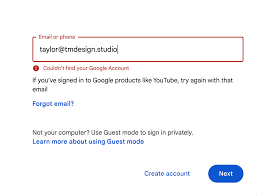
How to import contacts into a Gmail enterprise account?
If you are moving to a Gmail enterprise account from another email provider, it’s important to make sure that you have a good backup of your current address book. This way, you will be able to restore your previous contacts to the new email account once the migration is complete. This is one of the best ways to avoid losing your contacts.
Professional Gmail has many advantages over its free counterpart, including the ability to create email aliases. These aliases allow you to manage multiple email addresses from a single inbox, making it easier to handle multiple aspects of your business. Having multiple email aliases will also help you to keep your inbox organized and prevent you from missing important emails. To create an email alias, sign in to your Gmail account and then follow the on-screen instructions.
A Gmail Enterprise Account is designed to meet the needs of businesses by providing a secure, scalable, and efficient email solution. As part of Google Workspace, it offers a variety of features that go beyond standard email services, integrating seamlessly with tools that support communication, collaboration, and productivity. This makes it a preferred choice for organizations looking to enhance their operational efficiency and ensure secure, reliable communication.
Having a professional Gmail account can be beneficial for your business, especially when it comes to managing emails from customers or partners. In addition to creating email aliases, you can also set up and customize an autoresponder. This will send a pre-determined response to anyone who emails your company. This will help to prevent your inbox from becoming too cluttered with spam and unwanted messages. Gmail also has a feature that allows you to block certain domains, which can further reduce the amount of spam you receive. This will help you to stay on top of your inbox and never miss important emails from your customers or partners.